
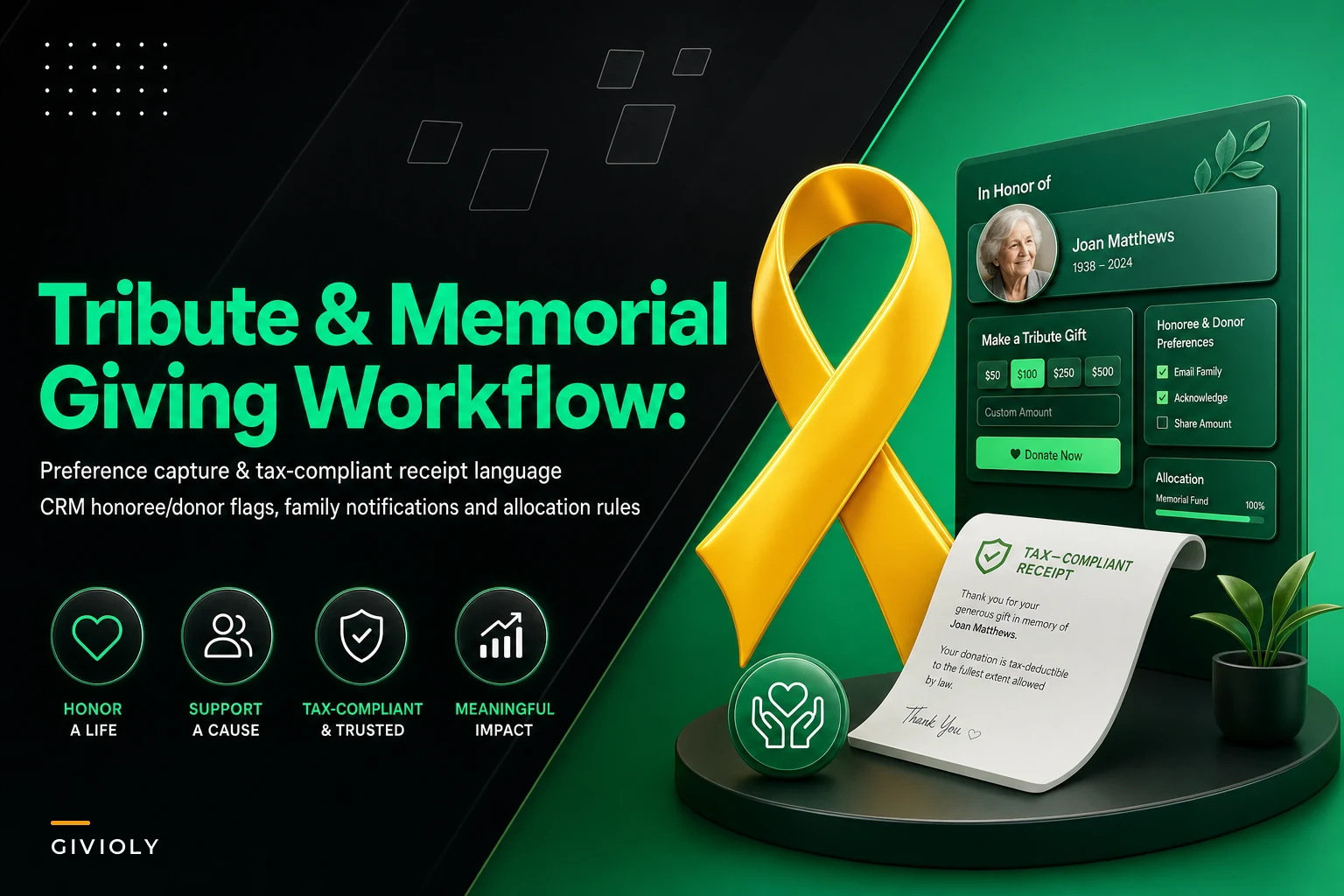

Memorial gifts are some of the most emotionally loaded money a nonprofit ever touches. A donor sends $250 "in memory of Robert" and behind that single transaction sits a grieving spouse, a preference nobody wrote down about whether the family wants to know amounts, and a receipt that — if you get the language wrong — either creates a tax headache or looks careless at the worst possible moment.
The problem isn't that teams don't care. It's that most tribute programs are held together by one person's memory and a handful of email threads. When that person is out, or volume spikes after an obituary runs, the workflow quietly falls apart. This piece walks through where it breaks and how to build something that actually holds up.
Where tribute programs actually fall apart
Most breakdowns don't happen at the gift itself. They happen at the four handoffs around it: capturing what the honoree's family actually wants, writing a receipt that matches tax rules, tagging the honoree and donor as separate records, and notifying the family in a way that doesn't feel like an automated mail run.
A typical failure looks like this. Someone establishes a memorial fund over the phone. The family says "please don't share dollar amounts, just let us know who gave." That preference gets written on a Post-it or buried in a CRM note field nobody checks. Three weeks later a well-meaning acknowledgment letter goes out listing every gift and the amount. Now you've got a phone call from an upset daughter and no clean way to prove it was a one-off.
The other classic: the honoree gets entered as a donor. Suddenly "Robert Callahan (deceased)" is receiving appeal mail, because someone created a constituent record for the person being memorialized instead of tagging them as a tribute subject. Every mail merge after that carries the error forward.
These aren't rare edge cases. In tribute giving, the memorial subject, the donor, and the notified family member are three different people with three different roles — and CRMs are built around one contact at a time. That mismatch is the root of almost every error.
The preference capture step nobody documents
Before a single tribute gift is processed, someone should own the honoree's preferences. Teams skip this because it feels like something that can happen "later." It can't. Once gifts start arriving, you're making notification decisions with no rules to follow.
Simplify donor management and fundraising workflows.
Givioly helps you organize campaigns, engage donors, and maximize fundraising impact seamlessly.
- Unified donor profiles
- Real-time donation tracking
- Automated impact reporting
No credit card required
-
Notification preference — Does the family want to know who gave, how much, both, or neither?
-
Cadence — Do they want a weekly summary, a single roll-up after 90 days, or notifications as gifts arrive?
-
Primary contact — One named person, with mailing and email address, who receives family notifications. Not "the family."
-
Program allocation — Where do these gifts go? A named memorial fund, general operating, a specific program the honoree cared about?
-
Public listing — May the honoree's name appear in a printed report or website tribute wall? Yes/no, in writing.
-
End date or trigger — When does the memorial fund close or convert? Many stay "open" indefinitely because nobody ever decided.
The piece most teams miss: notification preference and receipt language are different decisions. A family can ask you never to share amounts while donors still receive fully compliant, amount-bearing receipts. Blur those two and you either under-receipt donors or over-share with families.
Write these preferences into a structured field or a linked record — never a free-text note. Free-text notes are where preferences go to die, because they're invisible to a mail merge and invisible to whoever covers your desk next week.
Getting the receipt language right (this is the tax landmine)
There are two separate acknowledgments in tribute giving, and they get confused constantly:
-
The donor's tax receipt — goes to the person who gave the money. Must follow the same substantiation rules as any other gift.
-
The family notification — goes to the honoree's family. This is not a tax document and should carry no receipt language whatsoever.
The mistake that keeps coming up: teams send the family a letter that reads like a receipt, or send donors a "thank you for your memorial gift" note that drops the required substantiation language because it "felt too transactional." Both are wrong.
For U.S. organizations, any single gift of $250 or more needs a written acknowledgment stating the amount, the organization's name, and whether goods or services were provided in exchange. For most memorial gifts, they weren't — so the statement is "no goods or services were provided in exchange for this contribution." That language belongs on the donor's receipt regardless of the emotional context. Softening the letter doesn't make the gift more meaningful; it just makes the receipt non-compliant.
| Element | Donor tax receipt | Family notification |
|---|---|---|
| Gift amount | Required (if $250+) | Only if family opted in |
| "No goods or services" statement | Required | Never |
| Organization name & EIN | Required | Optional |
| Honoree name | Nice to include | Central |
| Donor name | The recipient | Only if family opted in |
| Tax-deductibility statement | Required | Never |
| Warm, personal tone | Optional | Essential |
The practical rule: the donor receipt is a legal document that happens to be kind. The family notification is a kind letter that happens to acknowledge a gift. Keep them in separate templates so nobody copy-pastes the wrong language under deadline pressure.
If you already run tight acknowledgment timelines for regular gifts, apply the same discipline here. The mechanics of clean receipting overlap heavily with what's covered in an audit-ready donation reconciliation workflow — tribute gifts should flow through that same reconciliation process, just with extra tagging layered on top.
CRM tagging: separating honoree from donor from family
This is the structural fix that prevents the majority of downstream errors. Your CRM needs to hold three distinct relationships for a single tribute gift, and most default configurations don't make that obvious.
-
The donor is a normal constituent record. Nothing special.
-
The honoree is either a non-solicitable record or, better, a dedicated "tribute subject" object/tag. The key is a hard flag that excludes them from all appeals, mailings, and calls. Mark deceased honorees clearly.
-
The family contact is their own constituent, linked to the honoree, flagged with the notification preferences captured at setup.
-
The gift carries a tribute tag identifying
type (memorial vs. honor), the honoree, and the linked memorial fund/allocation.
Build a saved filter or report that lists every honoree record flagged as solicitable and run it monthly — it should return zero results.
The pattern that causes the most cleanup work: teams create one record and try to make it do all three jobs. Then a memorial subject accidentally receives an appeal, or a donor's gift gets miscoded to general operating instead of the memorial fund, and the family's year-end summary doesn't add up.
The allocation and notification workflow
Once preferences are captured, receipts are templated, and tagging is clean, the running workflow is fairly straightforward. Here's the sequence a tribute gift should follow:
-
Gift arrives and is matched to the correct memorial fund at entry — the allocation tag goes on immediately, not later.
-
Donor receipt generated within your standard acknowledgment window, using the compliant donor template.
-
Gift logged against the honoree via the tribute tag, so the family summary builds automatically.
-
Family notification queued according to the captured cadence — as-it-arrives, weekly, or held for a roll-up.
-
Notification sent using the family template, respecting the amount-sharing preference.
-
Fund reviewed at the end date or trigger, with a decision to keep open, close, or convert to a named program.
The step most programs handle badly is the notification queue. When notifications go out gift-by-gift with no cadence rule, families get five separate letters in a single week and it starts to feel like a mail-merge assembly line. A weekly or roll-up cadence — chosen by the family at setup — almost always lands better.
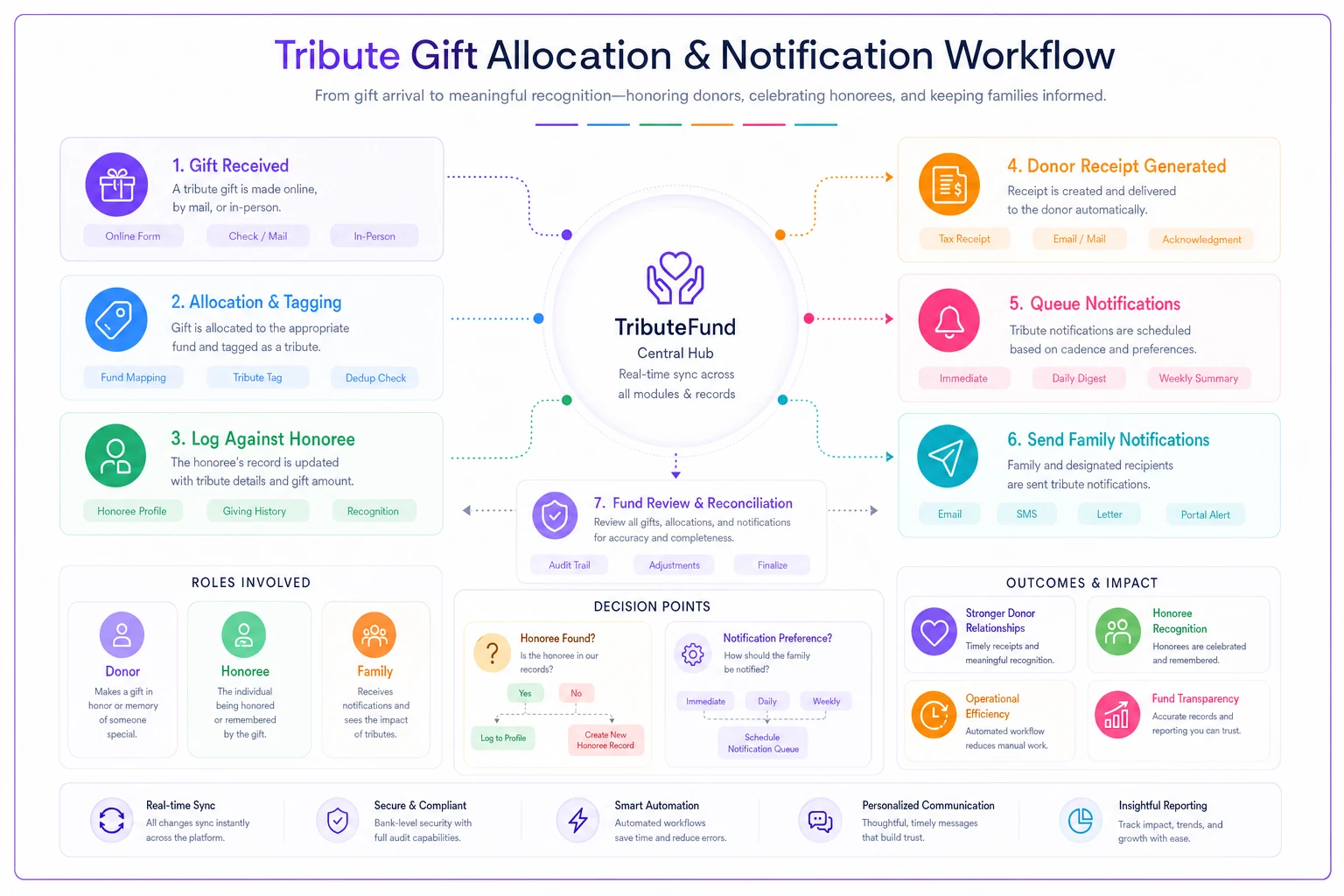
This quick sketch shows where decisions and handoffs happen so you can map them to people or automation.
This is also where event-driven memorial gifts get messy, especially when a memorial is tied to a service, walk, or gathering. The same offline-gift discipline from event donation operations applies: log every offline gift the same day, capture honoree and family details at the point of collection, and reconcile before anyone leaves.
A real scenario
A regional hospice foundation ran memorial gifts through a single staff member's inbox. Volume was manageable — until one board member's passing generated close to 90 tribute gifts in about three weeks. The workflow buckled.
What broke: the honoree was entered as a solicitable donor, so a scheduled appeal went out addressed to the deceased. Two donor receipts went out missing the "no goods or services" statement because staff used the warmer family template by mistake. And the family, who had specifically asked not to see dollar amounts, received a summary with every figure listed.
The cleanup took roughly two weeks and a written apology to the family. After that, they rebuilt the process around the steps above — a structured preference field at setup, two locked templates, a hard non-solicit flag on all honoree records, and a family-chosen notification cadence.
The next comparable wave — a little over 100 gifts after another loss — moved through with no misdirected mail and no receipt corrections. The staff member described the difference mostly in stress, not stats: it stopped being a scramble. When they later tightened things further, most of the routing and cadence logic was handled by their operational platform's automation, so the notification queue and honoree flags didn't depend on one person remembering to check a list.
When to formalize this — and when not to bother
If you process a handful of tribute gifts a year, a full lifecycle SOP is overkill. A two-template setup and a non-solicit flag will cover you.
-
You regularly get gift clusters after a single loss — obituaries drive concentrated volume fast.
-
You run named memorial funds with allocation rules.
-
More than one person touches tribute gifts, so preferences must be visible, not remembered.
-
You've already had one family complaint about a notification. That's the signal to build the system, not patch the incident.
Who can skip the heavy version: small all-volunteer organizations with a few tribute gifts a year. For them, the priority is just getting donor receipt language right and never soliciting an honoree. Everything else can wait until volume justifies it.
The takeaway
Tribute and memorial giving fails in predictable places — undocumented preferences, blurred receipt language, and CRM records forced to do three jobs at once.
None of those are hard to fix, but they don't fix themselves under emotional deadline pressure. Build the preference-capture step at fund setup, keep your donor receipts and family notifications in separate locked templates, tag honoree, donor, and family as distinct records, and let the family choose how they hear from you. Do that, and the most sensitive money your organization handles stops being your riskiest workflow.
Ready to elevate your fundraising efforts?
Join 2,000+ nonprofits using Givioly to save time, increase donations, and build lasting donor relationships.