
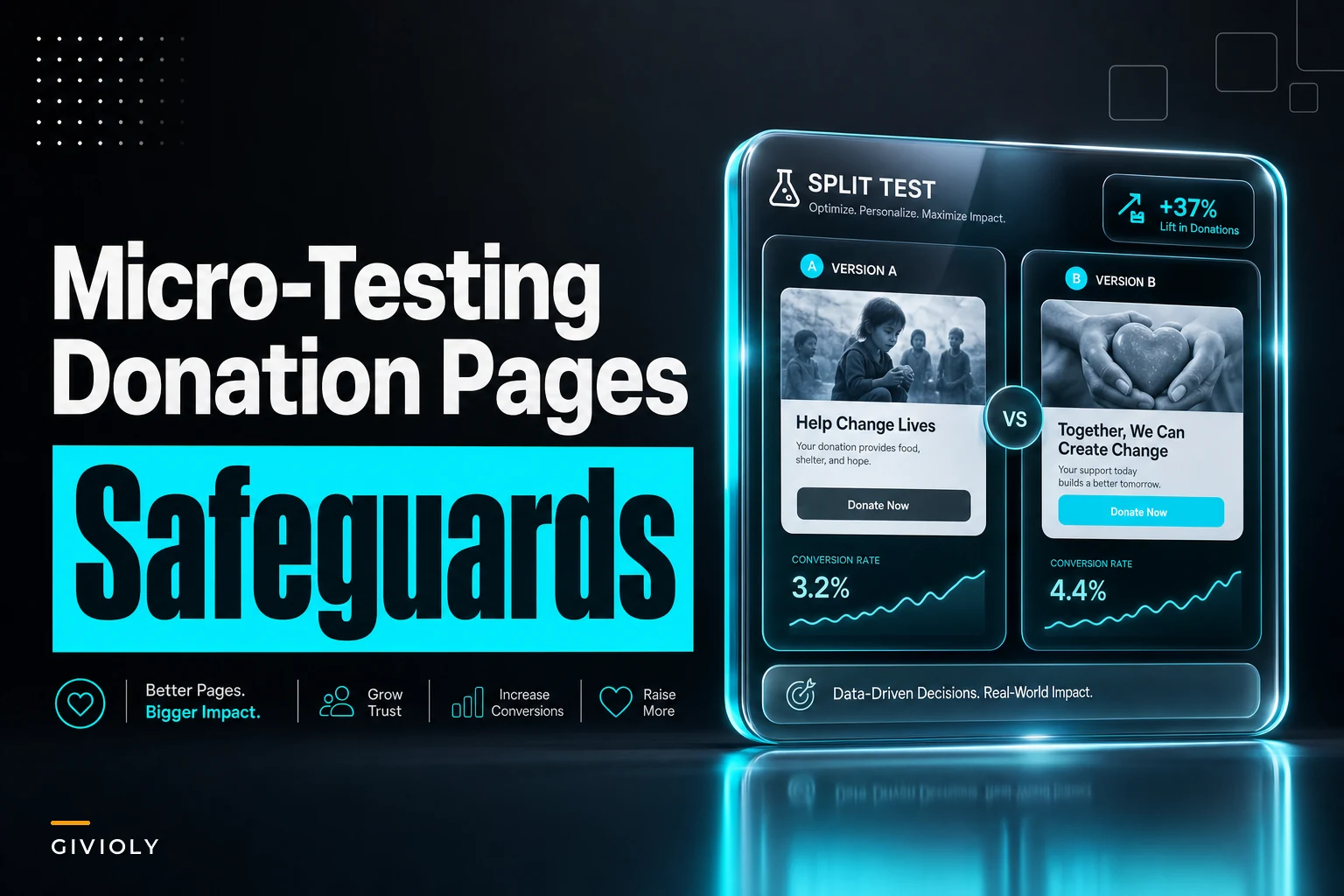

Most nonprofit teams hear "A/B testing" and immediately assume they can't play. Fair enough — the traffic math is brutal. If your donation page gets 900 visitors a month and your conversion rate hovers around 12%, you're working with roughly 108 conversions to split across two variants. Classic statistical significance calculators will tell you to wait four months for a result. Nobody has four months when the year-end campaign starts in six weeks.
So teams either don't test at all, or they test anyway and misread noise as signal. A team sees Variant B pull ahead 14% to 11% after a week, kills Variant A, and then watches conversion quietly drift back down because the "win" was random variance on a tiny sample.
This is the actual problem with donation page micro-testing: it's not that small samples make testing impossible, it's that they make it dangerous if you don't build guardrails first. You're experimenting on your revenue engine during the exact weeks it matters most. The goal here isn't to teach you significance math — it's to give you a way to run tests that can't quietly hurt you.
The specific trap: reading noise as a result
Here's how it actually goes wrong.
A midsize animal rescue runs their end-of-year page. They want to test whether adding a suggested-amount default of $75 (instead of leaving the field blank) increases average gift size. They split traffic 50/50. After nine days they've got 61 conversions on the control and 58 on the variant. Average gift on the variant looks like $92 versus $81 on the control.
Looks like a win. Roll it out.
Except with samples that small, a couple of large gifts skew the average hard. Two $500 donations landing in the variant bucket by pure chance can move that average by more than the actual effect they're trying to measure. When they pushed the $75 default to full traffic, average gift dropped back to around $79 — slightly below where they started, because the default anchored some donors down from what they'd have typed on their own.
The test wasn't wrong to run. The interpretation was wrong, and there was no mechanism to catch that error before it hit every donor.
That's the pattern worth internalizing: small-sample tests fail at the decision step, not the setup step. You need heuristics for deciding, not just for launching.
Minimal-sample heuristics that actually hold up
You're not going to hit textbook significance on a donation page with modest traffic. So the move is to change what a "pass" means. Instead of chasing p-values you'll never reach, use decision rules that are honest about uncertainty.
Simplify donor management and fundraising workflows.
Givioly helps you organize campaigns, engage donors, and maximize fundraising impact seamlessly.
- Unified donor profiles
- Real-time donation tracking
- Automated impact reporting
No credit card required
-
Test big swings, not tweaks. With small samples you can only detect large effects. Testing "Donate Now" vs. "Give Today" is a waste — the true difference, if any, is too small for your traffic to reveal. Testing a single-step form vs. a three-step form is worth it, because if the effect is real, it'll be large enough to show up.
-
Use a minimum conversion floor before you even look. Set a rule: no decision until each variant has at least 30–50 conversions. Not visitors — conversions. This won't give you certainty, but it stops the "we saw something after 8 conversions each" problem.
-
Watch the median gift, not just the mean, for amount tests. Medians don't get yanked around by one large donation. If the median moves in the same direction as the mean, you've got something more trustworthy.
-
Require the effect to survive a split-sample gut check. Take your test period, divide it into the first half and second half. If Variant B won in both halves, that's a signal. If it won in one and lost in the other, you're looking at noise.
None of these are statistically rigorous in the academic sense. They're operational heuristics designed to keep you from making expensive mistakes on thin data. That's the right tradeoff for a small team.
Here's a quick comparison of what to test versus what to skip when your sample is small:
| Test idea | Detectable on small traffic? | Why |
|---|---|---|
| Single-page form vs. multi-step | Yes | Large effect on completion |
| Removing an optional "add a note" field | Usually yes | Friction reduction is often sizable |
| Button color change | No | Effect too small to detect |
| Suggested-amount defaults on/off | Sometimes | Watch median, mean lies here |
| Adding a trust/impact line above the form | Yes | Framing effects can be large |
| Reordering payment methods | No | Marginal, needs huge sample |
The pattern holds consistently: if you can't imagine the change moving the needle by several percentage points, you don't have the traffic to measure it. Save it for later or skip it.
The consent and ethics check most teams skip
Testing on donors isn't the same as testing on e-commerce shoppers. You're experimenting on people during an act of generosity, sometimes on emotionally charged pages tied to a crisis appeal. That deserves a real ethics check — not because a lawyer said so, but because a botched test can genuinely erode trust.
-
Does the variant change what the donor is agreeing to? If your test touches recurring-gift opt-in language, tax-receipt wording, or consent checkboxes, stop. Those aren't conversion experiments — they're compliance surfaces. Your consent language should be consistent and accurate across every variant. If you're unsure where those lines are, the fundamentals in this nonprofit checklist for accessible, compliant donation forms are worth reviewing before you touch anything.
-
Would you be comfortable explaining the test to the donor? If a donor found out they saw "Variant B," would they feel manipulated? A test that adds a fake countdown timer or false scarcity fails this instantly. A test that simplifies your form passes.
-
Does the variant preserve accessibility? A shiny new layout that breaks screen-reader flow isn't a valid variant — it's a broken page you're serving to real people.
-
Is the emotional framing honest in both versions? Testing two true impact statements is fine. Testing a true one against an exaggerated one isn't a test, it's a decision to mislead half your donors.
The insight most teams miss: the ethical check also protects your data quality. A manipulative variant might "win" on conversion while quietly generating refund requests, chargebacks, and unsubscribes two weeks later — costs that never show up in your test dashboard. Ethical guards and clean results are often the same thing.
Rollback plans: the part nobody builds until it's too late
This is the single biggest gap in how small teams test. They know how to launch a variant. Almost nobody defines, in advance, exactly what triggers pulling it.
You need rollback conditions written down before the test starts, because in the middle of a test you'll rationalize keeping a variant alive ("let's give it a few more days"). Pre-committing removes the emotion.
A workable rollback framework has three triggers:
-
Hard conversion floor. If overall conversion (both variants combined) drops more than a set threshold — say 15% below your trailing baseline — halt the entire test and revert to the known-good page. Something is broken, and it's not worth debugging live during a campaign.
-
Variant-specific collapse. If one variant's conversion runs dramatically below the other after the minimum conversion count, kill that variant and send all traffic to the winner. Don't wait for "significance."
-
Error-rate spike. If the payment failure rate or form-abandonment rate on either variant climbs noticeably, revert immediately. This usually means the variant broke something technical — a validation bug, a mobile layout issue, a slow-loading element.
Here's the numbered process for a safe rollback, written so anyone on the team can execute it even if the person who built the test is unavailable:
-
Check the combined conversion rate against baseline daily during the test.
-
If any trigger condition is hit, switch 100% of traffic to the control page immediately.
-
Note the timestamp and the trigger that fired.
-
Screenshot the variant and the metrics at rollback so you can diagnose later.
-
Confirm the control page is serving correctly to real visitors — test a live donation with a small amount, then refund it.
-
Document what happened before you touch anything else.
That step-5 detail — actually completing a live test transaction after rollback — is the one people skip and regret. Reverting the page doesn't guarantee the revert deployed cleanly. Confirm with real money.
QA guards that catch the silent failures
Most donation-page test disasters aren't dramatic. They're silent. The variant loads fine on the developer's desktop and quietly fails to submit on iOS Safari, and you don't find out until reconciliation shows a gap.
-
[ ] Complete a real donation on both variants, on desktop and mobile
-
[ ] Confirm the confirmation email / receipt fires correctly for both
-
[ ] Verify the gift lands in your CRM with the right source coding for both variants
-
[ ] Check that recurring-gift setup works on both (if applicable)
-
[ ] Test with the amount field blank, a valid amount, and an invalid amount
-
[ ] Confirm consent checkboxes and their stored values are identical in behavior across variants
-
[ ] Load both variants on a slow connection to catch layout shift
-
[ ] Verify analytics is actually tagging which variant each visitor saw
The tagging point matters more than it sounds. If your test tracking can't reliably tell you which variant a given donor saw, you can't trust the result — and worse, you can't reconcile it later. A surprising number of "inconclusive" tests are just broken tracking.
The other silent killer: forgetting to confirm that variant codes flow correctly into your downstream systems. If Variant B donations land in the CRM without their source tag, your reconciliation and attribution both break. It's the same coordination discipline that keeps automated systems clean in scaling monthly giving programs — the test isn't done when the page changes, it's done when the data lands correctly everywhere it needs to go.
A real scenario, start to finish
A small arts nonprofit — roughly 1,100 monthly donation page visitors, conversion around 9% — wanted to test whether removing an optional "employer name" field (used for matching-gift capture) would lift completion.
They set it up right. Minimum 40 conversions per variant before any decision. Rollback trigger at 15% below the combined baseline. Full QA pass on both mobile and desktop. They tracked median completion time as a secondary signal.
> GRAPH: micro-test workflow — from hypothesis to rollback or ship decision
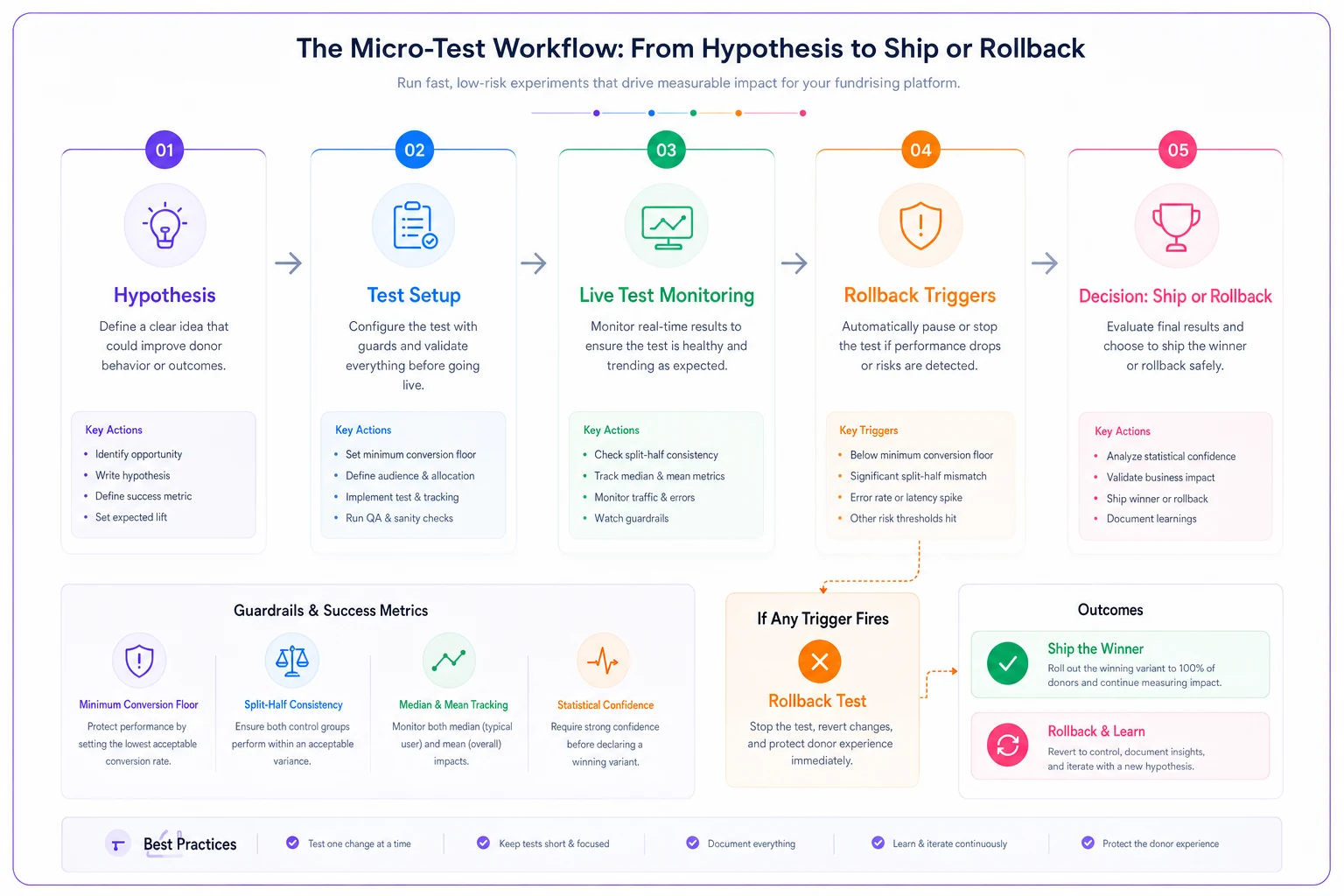
The diagram above summarizes the key checkpoints and decision points in a micro-test flow.
After about three weeks they had 48 conversions on the control (field present) and 61 on the variant (field removed). Conversion on the variant ran around 11% versus roughly 9% on the control. They ran the split-half check: the variant won in both halves. Median form-completion time dropped noticeably too, which supported the story that the extra field was real friction.
They shipped it. Over the following two months conversion held around 10–11% — a meaningful lift for a page that size. The tradeoff: they lost some passive matching-gift capture, so they moved that ask into the confirmation page and receipt flow instead. Net effect was clearly positive. More completed gifts, and matching-gift capture recovered downstream.
What made it work wasn't sophistication. It was the guardrails: a real conversion floor, an honest split-half check, a rollback trigger they never needed but had ready, and QA that confirmed both variants actually processed money correctly. Simple stuff, done consistently.
When micro-testing makes sense — and when it doesn't
When it's worth doing:
-
You have a specific, large-effect hypothesis (form length, page structure, a major framing change)
-
You have at least a few weeks before your decision needs to be final
-
You can commit to a minimum conversion count before deciding
-
Someone owns the daily check and can pull the trigger on rollback if needed
When it's a bad idea:
-
You're testing during your single biggest revenue day and can't afford any downside
-
The change touches consent, receipts, or compliance language
-
Your traffic is so thin you'd need months to hit even 30 conversions per variant
-
Nobody is available to monitor and roll back if something breaks
Who should not run these tests at all:
Teams without reliable variant tracking in their CRM. If you can't confirm afterward which donors saw which version, you're not testing — you're guessing with extra steps, and you'll pollute your data in the process. Fix the tracking first, then test.
The mindset that keeps small-sample testing safe
The teams that do this well aren't the ones with the most traffic or the fanciest tools. They're the ones who treat every test as something that could hurt them, and build the brakes before the accelerator.
They test big swings, set a conversion floor before looking at results, write down rollback triggers in advance, and QA the actual money flow on real devices. Not every test produces a winner — but none of them quietly tank the campaign either, which is honestly the more important outcome when you're running on thin traffic and a tight timeline.
Small samples don't disqualify you from testing. They just mean you can't afford sloppy decisions — because with thin data, one bad call scales to every donor before you notice.
Ready to elevate your fundraising efforts?
Join 2,000+ nonprofits using Givioly to save time, increase donations, and build lasting donor relationships.