

Most thank-you videos die in the planning stage. Someone on the development team decides this quarter will be "the year of video stewardship," they borrow a decent camera, film one beautiful two-minute piece for a major donor, and then nothing happens again for eight months because the whole thing took eleven hours to produce.
The problem was never the camera or the editing skill. Nobody built it as a routine a single person could run without burning out. If you're a one-person shop — or one person inside a three-person team who got "assigned" video — you need a production loop that fits inside a normal workday and actually gets shipped. That's what this covers.
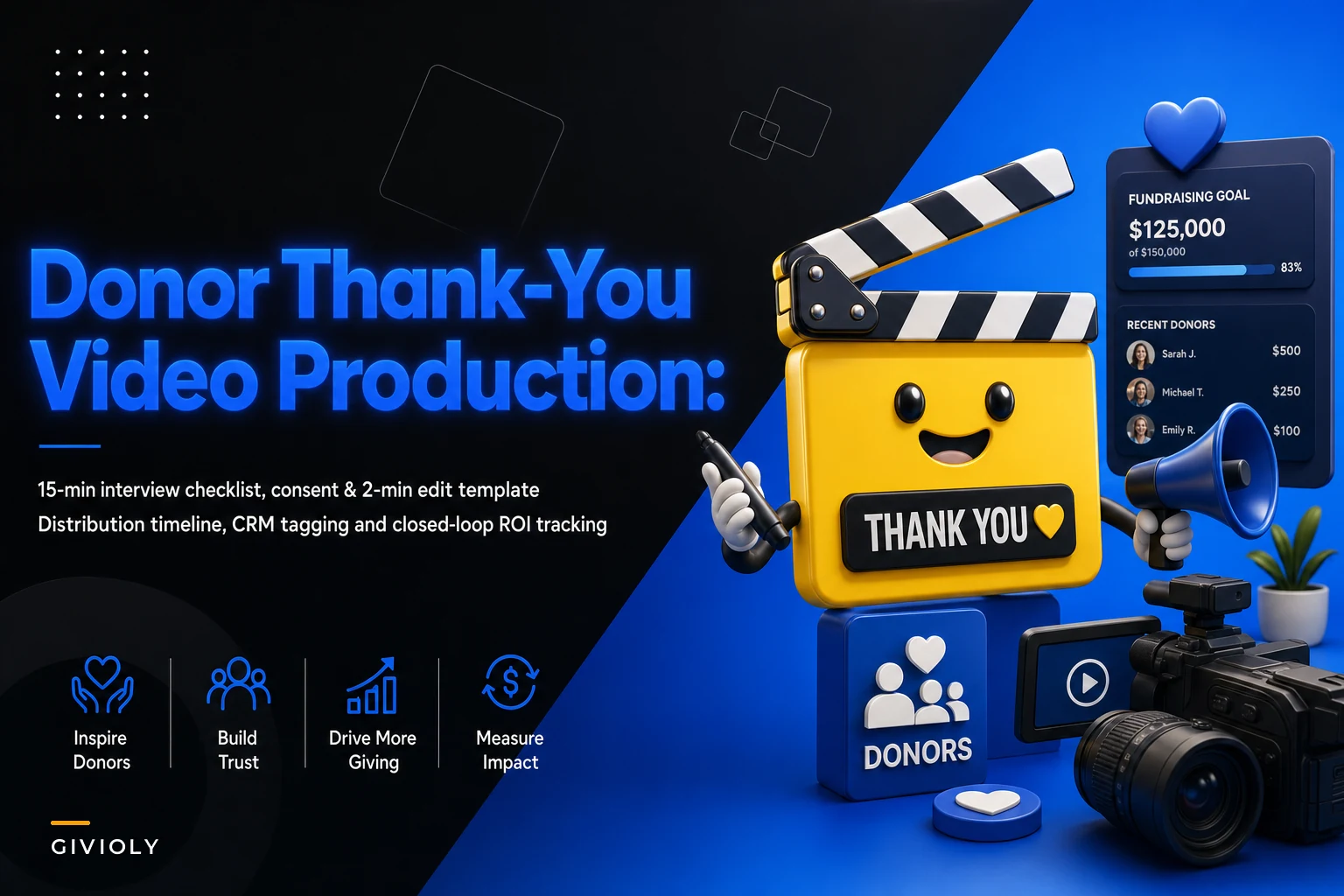
We'll go through the whole thing in the order you'd actually do it: the 15-minute interview, the one-person production SOP (including the consent language that keeps you out of trouble), the 2-minute editing pass, the distribution timeline, and the CRM tagging and ROI tracking that tells you whether any of this is worth doing again.
Why "donor thank you video production nonprofit" workflows collapse for solo teams
The failure pattern is almost always the same, and it's not about talent.
Solo producers treat each video as a creative project instead of a line on an assembly line. Every video gets a custom script, a custom location, a custom edit, a custom approval chain. Fine when you make four a year. Fatal when you want to make forty.
The second failure is scope creep inside the recording itself. You sit down to film a 90-second thank-you and the executive director decides she also wants to mention the capital campaign, the new program director, and the gala date. Now your two-minute asset is a five-minute monologue nobody finishes watching, and the edit balloons from 15 minutes to two hours.
The third failure is quieter but costs you the most: no tracking. You make the videos, you send them, people reply "aw, thank you, this made my day" — and then at renewal season nobody can tell whether the video donors renewed at a higher rate than the plain-email donors. The program has no defense when budget gets tight, and it gets cut. This connects directly to how you handle retention generally, which we've covered in the first-year donor churn playbook — video stewardship only matters if it plugs into a measurable retention motion.
The 15-minute interview checklist
The whole model depends on one constraint: you record the subject — usually a program staffer, a beneficiary with permission, or a leader — in 15 minutes flat. Not polished final talent. Source material. One or two solid clips per sitting.
Simplify donor management and fundraising workflows.
Givioly helps you organize campaigns, engage donors, and maximize fundraising impact seamlessly.
- Unified donor profiles
- Real-time donation tracking
- Automated impact reporting
No credit card required
Here's the actual checklist to run before you hit record. Print it, tape it to your monitor.
Before recording (5 min):
-
Confirm the donor or donor segment this clip is for (major gift, first-time, lapsed-reactivated, monthly upgrade)
-
Confirm the one specific outcome you're thanking them for — one program, one number, one moment
-
Get signed/verbal consent on record (language below)
-
Check background
no visible donor data, no sensitive client faces unless cleared
-
Phone or camera at eye level, window light to the side not behind
During recording (8 min):
-
Ask the subject to say the thank-you in one breath, looking at the lens
-
Capture it 3 times — people almost always nail take 2 or 3
-
Ask one open prompt
"What does this gift actually let you do on a Tuesday afternoon?" (specific beats grand)
-
Grab 20 seconds of silent b-roll — hands working, a door opening, the space
After recording (2 min):
-
Verbally slate the file
"Clip for March monthly donors, subject consented"
-
Note the best take number out loud so editing is faster
-
Drop the file into one dated folder, nowhere else
The thing most people miss: you are not filming a video. You are filming ingredients. One 15-minute sitting can feed three or four separate thank-you edits if you ask the subject to name different programs or different donor types across takes.
Consent language that won't come back to bite you
This is the part solo producers skip, and it's the one that can actually create liability — especially when a beneficiary is on camera. You don't need a lawyer-drafted form for internal stewardship video, but you do need something recorded and specific.
Keep a short script you read on-camera before each shoot, so consent lives inside the footage itself:
> "This is [name], recorded on [date]. I understand this video may be shared privately with donors and supporters of [organization], and may be used in donor communications and social media. I'm giving that permission freely, and I can ask to have it removed at any time by contacting [email]." Then have them say "Yes, I understand and agree." On camera. That recorded verbal consent, tied to the file, is worth more than a paper form that gets filed and lost.
Two rules that matter in practice:
-
Separate "private donor share only" from "public social media." A beneficiary may happily thank a donor in a one-to-one video but not want their face in a public campaign. Capture that distinction explicitly, because the two uses have very different exposure.
-
Minors and vulnerable clients get written guardian consent, full stop. No verbal shortcut. If you serve populations where being identified as a client is itself sensitive — recovery, domestic violence, immigration — default to voice-only or hands-only b-roll unless there's airtight written permission.
If your organization already has a broader consent and privacy policy, this slots under it. You're just operationalizing the recording-level piece.
The one-person production SOP
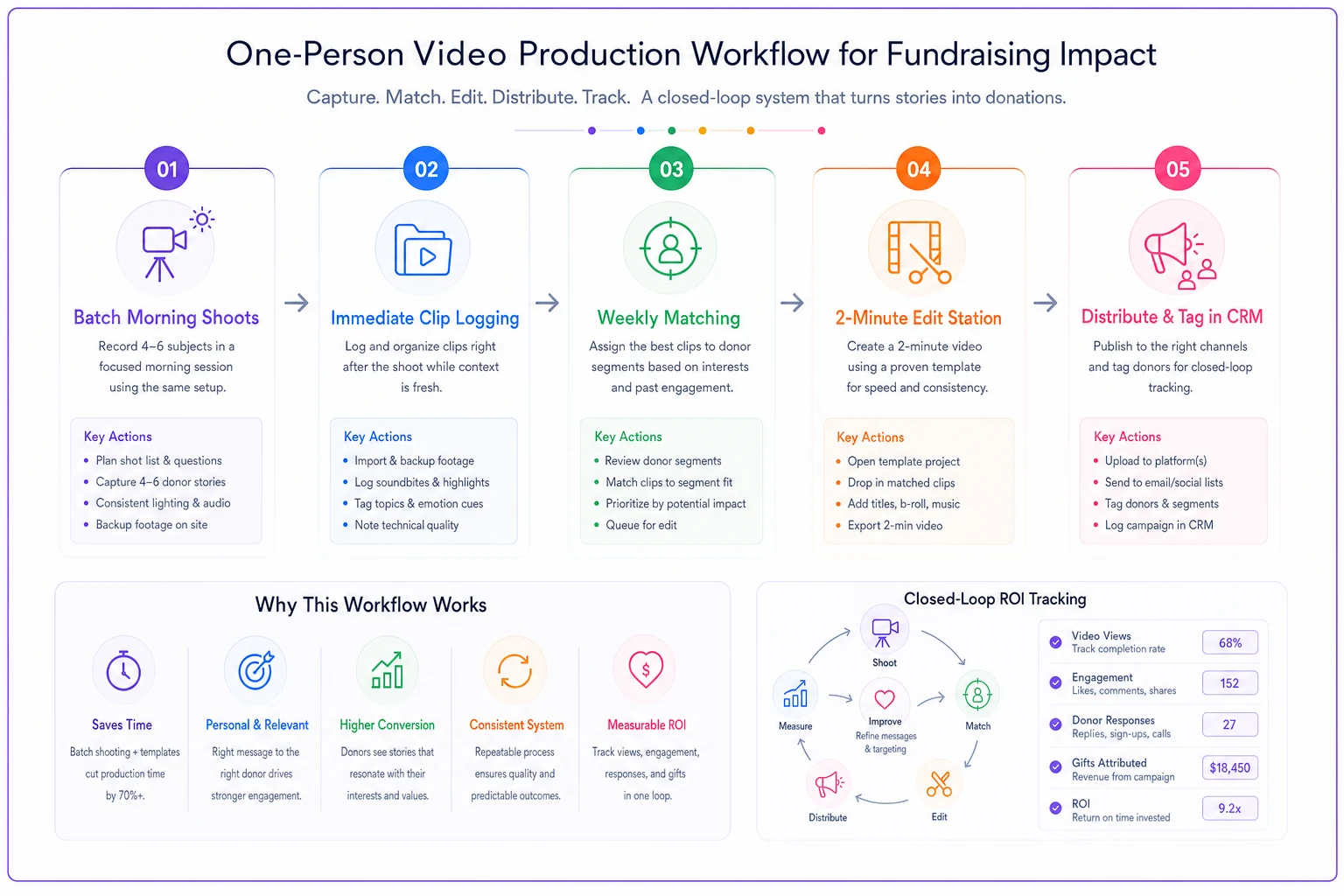
Here's the full loop written as a repeatable process. The goal is that any given video goes from "idea" to "sent" inside roughly 35–45 minutes of actual work, spread across a couple of sittings.
-
Batch your shoots. Pick one morning a month. Film 4–6 subjects back to back, 15 minutes each. You now have a month of raw material in one session instead of six scattered ones.
-
Log clips immediately. One spreadsheet row per clip
filename, subject, consent level (private/public), donor segment, best take. Five minutes while it's fresh beats an hour of re-watching later.
-
Match clips to donors weekly. Each week, pull the list of people who need a thank-you — new gifts, upgrades, reactivations — and assign each one a clip. Reuse clips across similar donors; personalization happens in the delivery, not the footage.
-
Edit in a 2-minute pass (see below).
-
Send with a personal line. The video is reusable; the two-sentence message around it is not. "Maria, your gift in February is what made the thing in this clip possible" turns a generic clip into a personal moment.
-
Tag the CRM. Non-negotiable. This is what lets you prove the program works.
The pattern worth stealing: separate production (monthly, batched) from delivery (weekly, personalized). Solo teams who merge the two end up producing on demand, which is exactly where the eleven-hour videos come from.
Visualizing the monthly production-to-delivery loop can help you standardize handoffs and timing.
The pattern worth stealing: separate production (monthly, batched) from delivery (weekly, personalized). Solo teams who merge the two end up producing on demand, which is exactly where the eleven-hour videos come from.
The 2-minute editing checklist
Editing is where solo producers lose entire afternoons. The constraint here is brutal on purpose: the final video should take about 2 minutes of decisions, not 2 hours of fiddling.
Use a template project with your logo, lower-third, and end card already placed. Then:
-
Drop in the best take (you already noted the number — thank yourself)
-
Trim the dead air at the front and back only
-
Lay 5–10 seconds of b-roll over any stumble
-
Confirm captions auto-generated correctly (watch for the org name being mangled)
-
Confirm the end card has the right program or appeal — nothing else
-
Export at the preset you always use, never custom
That's it. If you're color-grading or adding music beds on a stewardship thank-you, you've left the SOP. The donor wants to feel seen, not watch a commercial. Rougher and sincere outperforms polished and generic almost every time.
This is also where simple automation earns its keep without turning into a production studio. Auto-captioning, template-driven exports, a shared folder that auto-sorts clips by the tags you logged — that's the level of tooling that keeps a one-person routine alive. Not fancy editing software. Just removing the repetitive decisions that eat your afternoon.
Distribution timeline
Timing is where video stewardship quietly beats a plain receipt. The acknowledgement email goes out immediately — that's a separate, automated process. The video is the follow-up, and it lands best slightly after the transaction has settled.
| Trigger | Day to send video | Why this timing |
|---|---|---|
| First-time gift | Day 3–5 | After the receipt, before they forget they gave |
| Monthly donor upgrade | Within 1 week | Reinforce the decision while it's fresh |
| Major gift | Day 2–3 | Fast and personal signals real attention |
| Lapsed donor reactivated | Day 1–2 | Speed tells them the door really was open |
| Year-end gift | First week of January | Everyone sends receipts in December; you stand out in the quiet |
The non-obvious move is that year-end January send. December inboxes are a bloodbath of automated receipts. A warm two-minute video in the first week of January, when nothing else is competing, gets watched and remembered in a way the same video buried on December 31 never would.
CRM engagement tags and ROI tracking
This is the section that keeps the program alive past its first year, so don't shortcut it.
Every video you send gets logged with a small, consistent tag set. You don't need a complex taxonomy — you need enough to compare cohorts later.
Minimum tags per donor:
-
video-sent[YYYY-MM]
-
video-type[first-gift / upgrade / reactivation / major / year-end]
-
video-openedyes/no (if your email tool reports it)
-
video-repliedyes/no
The tracking question you're actually trying to answer is simple: do donors who got a video renew or give again at a higher rate than comparable donors who didn't?
To answer it honestly, you need a comparison group. Don't send video to 100% of a segment. Hold back a slice — video the first-time donors you have clips for, leave a similar group on standard stewardship, then at the next giving cycle compare repeat-gift rates between the two.
Real scenario: A small arts nonprofit, one development staffer, roughly 600 active donors. She started batching four videos a month and sending them to new and reactivated donors, while leaving a comparable group on email-only stewardship. Over about nine months, the video group's second-gift rate came in somewhere around 8–11 points higher than the control, and a handful of monthly donors bumped their amounts after receiving an upgrade thank-you. Nothing dramatic — but on a donor base that size, a repeat-giving lift in that range translated to a few thousand dollars of additional annual revenue she could directly point to. That number is what saved the program line when the board asked what the camera time was worth.
What made it defensible wasn't the lift itself. It was that she could show the comparison. Tagged cohorts, a held-back control group, a clean before/after. If you want the videos themselves to carry real stories, the same source-to-dashboard discipline from fixing donor-facing impact reporting applies — the clip and the data should tell the same true story.
When this makes sense — and when it doesn't
When it's worth building: You have a donor base big enough that repeat-giving rate actually matters to the budget — a few hundred donors and up — and at least one person who can commit one morning a month. The routine pays off through volume and consistency, not through any single masterpiece.
When it's a bad idea: If your acknowledgement basics are broken — receipts going out late, tax letters wrong, data a mess — fix those first. A beautiful video on top of a broken stewardship backend just delays the obvious. Donors notice the mistakes, not the production value.
Who should NOT do this: Organizations serving populations where appearing on camera creates real risk, unless you've fully committed to voice-only and hands-only formats with ironclad consent. In those cases a warm audio message or a staff-narrated clip over b-roll does the job without exposing anyone.
The actual takeaway
Thank-you video programs fail because they're run as creative projects instead of operational routines, and they're never measured, so they can't survive a budget conversation.
Build it as a loop: batch the 15-minute shoots, capture consent inside the footage, edit in a disciplined 2-minute pass, send on a timeline that fits the gift, and tag every send so you can prove the lift. Done consistently, the whole thing fits inside a few hours a month. And when someone asks whether the video stewardship is worth keeping, you'll have the cohort numbers to answer with instead of a shrug.
Thank-you video programs fail because they're run as creative projects instead of operational routines, and they're never measured, so they can't survive a budget conversation.
Ready to elevate your fundraising efforts?
Join 2,000+ nonprofits using Givioly to save time, increase donations, and build lasting donor relationships.