

Most matching gifts don't get lost because the donor doesn't care. They get lost because the window between "I meant to submit that form" and "my employer's portal closed the quarter" is wider than anyone's follow-up memory. A donor gives $250, their employer matches dollar-for-dollar, and that second $250 just evaporates because nobody reminded them to file by the deadline.
The donor already said yes. The intent is there. What's missing is a sequence — a predictable set of nudges tied to the right CRM fields, backed by a reconciliation routine that catches what slips through.
This post covers how to build exactly that: capturing employer data at the moment of donation, timing your 14/30/60-day nudges, which CRM fields actually drive the flow, and a weekly reconciliation checklist light enough for a two or three person team to actually stick with.
Start at the Donation Moment, Not Weeks Later
The biggest timing mistake in matching-gift work: teams wait until a month-end report to figure out who might be match-eligible. By then the donor has moved on, and you're chasing cold context.
The fix is capturing employer data at the point of donation. Your form should ask for employer name as an optional field — not required, because friction kills conversion — but prominently placed with something like "Does your employer match gifts? Tell us where you work and we'll help you double your impact."
Even a plain employer text field, with no live database lookup, picks up usable data on somewhere around 30–45% of online gifts when the prompt is framed around donor benefit rather than paperwork. If you can layer in an employer-lookup tool (many matching-gift databases offer an embeddable search widget), you'll get cleaner, standardized company names instead of "Goog," "Google Inc," and "google" all landing as separate records.
The operational point that gets missed: the employer-lookup field isn't just for the donor. It's the trigger that starts your entire nudge sequence. No employer captured means no sequence. So the quality of this one upstream field determines how much match revenue you recover downstream.
If employer names come in as free text with no cleanup, you'll spend hours untangling duplicates later. This ties directly into the kind of ongoing cleanup work covered in Donor Data Hygiene: common pitfalls and repeatable monthly audits for clean reporting. Clean inputs here save you from a messy reconciliation at the end.
The CRM Fields That Actually Drive the Flow
You can't automate a sequence on vibes. The nudge flow needs specific fields to know who to contact, when, and whether to stop. Most teams either track nothing or track too much. Here's the lean set that works.
Simplify donor management and fundraising workflows.
Givioly helps you organize campaigns, engage donors, and maximize fundraising impact seamlessly.
- Unified donor profiles
- Real-time donation tracking
- Automated impact reporting
No credit card required
| Field | Type | What it does |
|---|---|---|
employer_name | Text / lookup | Triggers eligibility check; standardize on lookup if possible |
match_eligible | Yes / No / Unknown | Set after checking employer against a matching-gift database |
match_status | Picklist | Not Started → Prompted → Submitted → Verified → Paid → Lapsed |
gift_date | Date | Anchors the 14/30/60-day nudge timing |
match_ratio | Number | 1:1, 2:1, etc. — affects projected match value |
match_deadline | Date | Employer's submission cutoff; the hard stop for nudges |
lastnudgesent | Date | Prevents double-sending and over-contacting |
The field doing the most work is match_status. It tells you two things at once: where the donor is in the process, and whether the sequence should keep running.
A common mistake is treating matcheligible and matchstatus as the same thing. They're not. Eligibility tells you can this gift be matched. Status tells you how far along is the match. A donor can be eligible and never prompted, or prompted and lapsed. Collapsing these into one field is how teams lose visibility into exactly which stage is leaking.
Set match_deadline wherever you can. Employer portals often close quarterly or at year-end, and a nudge sent after the deadline is just an annoying email that makes you look disorganized.
The 14/30/60-Day Nudge Sequence
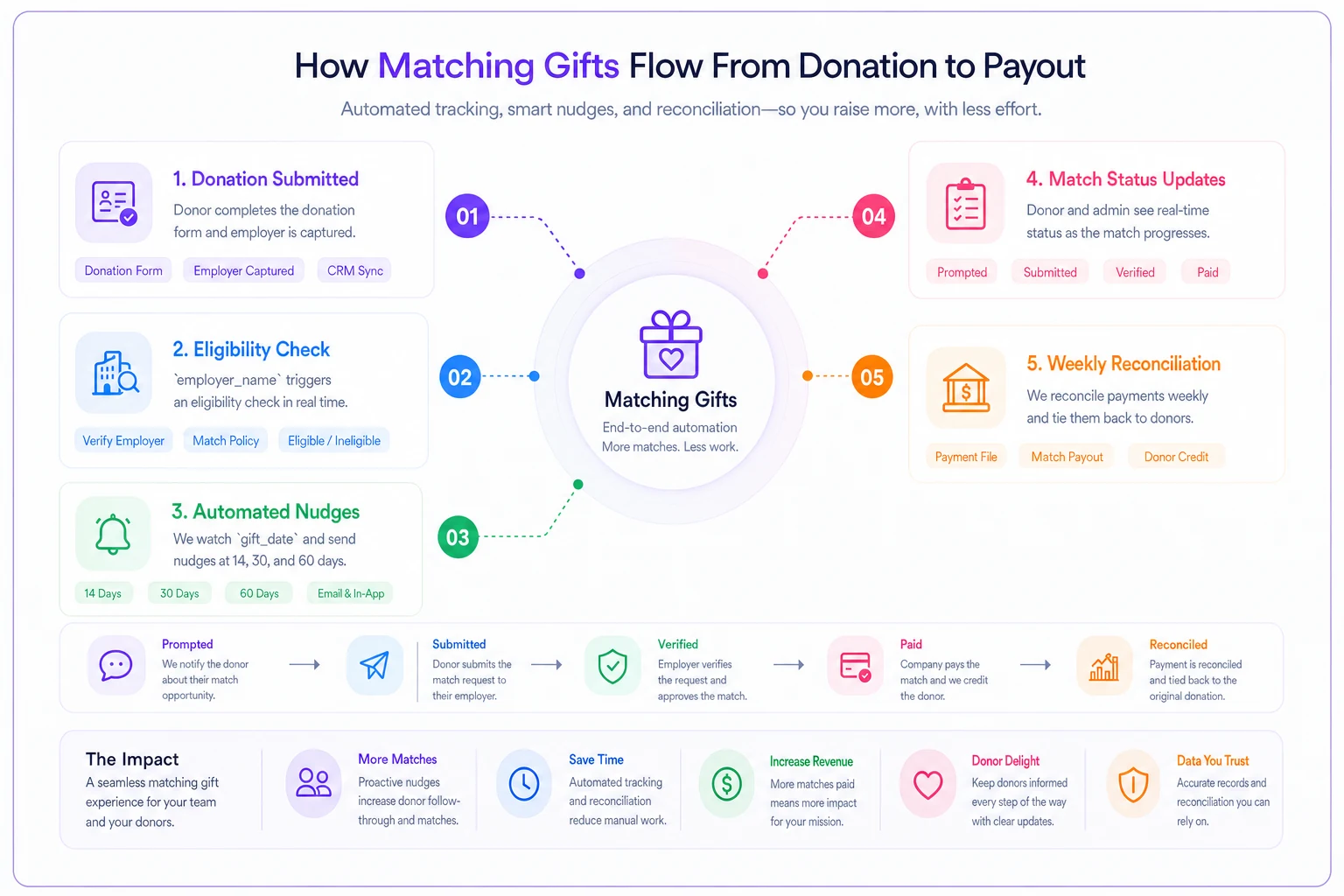
Three touches, spaced to respect the donor while still beating most submission deadlines. The logic behind each interval matters — this isn't arbitrary.
Day 14 — The helpful reminder. Two weeks gives the donation some breathing room after your acknowledgement went out. This email is short, warm, and does one job: tell them their gift may be matchable and give them a direct link to their employer's match form. Not a paragraph about your mission. Just: "Great news — [Employer] matches gifts like yours. Here's the 2-minute form to double your $250 impact."
Day 30 — The specifics and the stakes. By now the first email either got acted on or got buried. The second touch adds concrete numbers: "Your $250 gift could become $500 with [Employer]'s 1:1 match. Most forms take under five minutes." If you know the match deadline, name it here. Deadlines create motion.
Day 60 — The last call. This one acknowledges the gap directly and keeps it friendly: "We don't want you to miss your employer's match window — here's your link one more time." After this, the sequence stops. Over-contacting past three touches produces diminishing returns and some unsubscribes, and the data rarely justifies a fourth email.
Here's a simple workflow showing how the sequence triggers from gift capture through nudges and status updates.
A few rules that keep the sequence from backfiring:
-
Stop the sequence immediately if
match_statusflips to Submitted or Verified. Nothing erodes trust like nudging someone to do something they already did. -
Suppress the flow if
match_deadlinehas passed. -
Personalize with the actual employer name and match ratio. "Your employer matches" converts far worse than "Microsoft matches your gift 1:1."
-
One call to action per email. One link.
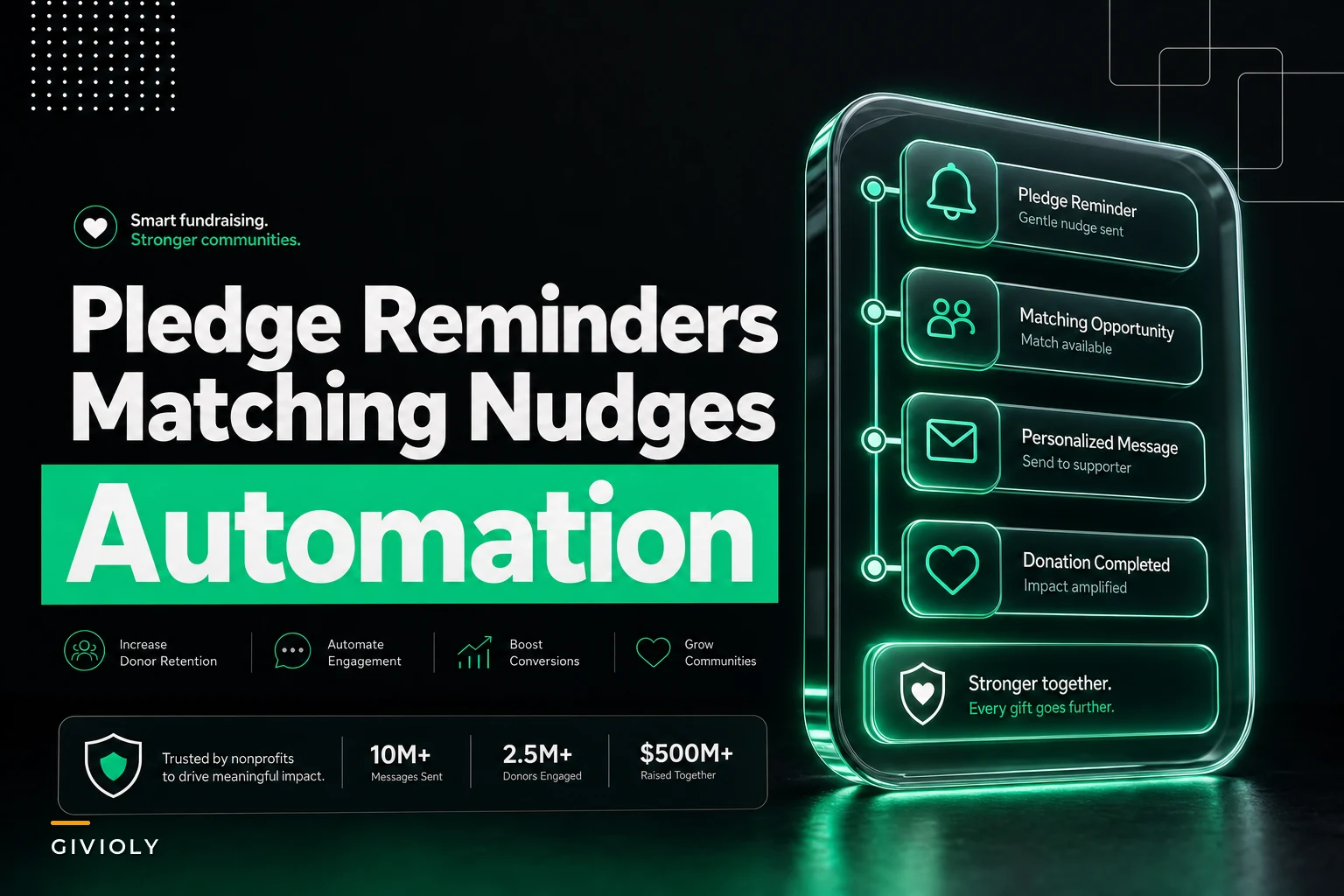
In real operations, this works best when the sequence runs automatically off giftdate rather than someone manually queuing emails. A team of two cannot realistically remember to nudge 140 donors on staggered schedules. This is exactly the kind of repetitive, date-triggered work where a bit of automation — a workflow watching giftdate and match_status and firing the right email — removes the manual tracking burden entirely. The sequence runs on schedule without anyone holding the calendar in their head.
A Realistic Example of the Revenue at Stake
Consider a mid-sized local nonprofit running mostly online gifts. In a typical quarter they process around 600 donations. Based on their donor base, roughly 18% work at companies with match programs — call it 108 match-eligible gifts.
Before they built a sequence, employer data was collected on maybe a third of gifts, follow-up happened "when someone had time," which in practice meant a handful of personal emails to major donors and nothing for everyone else. They were verifying maybe 12–15 matches a quarter.
After putting the 14/30/60 flow in place — employer-lookup at donation, standardized match_status, automated nudges — verified matches climbed to roughly 40–50 a quarter within two cycles. With an average gift around $180 and mostly 1:1 ratios, that's somewhere in the range of $4,500–$6,500 in additional matched revenue per quarter that was previously walking out the door.
Nothing about that required more donors or a bigger ask. Same gifts, just captured and followed up with actual discipline. Matching gifts are unusual in that the money is already pledged by the employer — you're not fundraising twice, you're closing a loop that was left open.
Weekly Reconciliation Checklist for Small Teams
Automation handles the nudges. Reconciliation handles the truth. Employers are slow, inconsistent, and rarely tell you clearly when a match has been paid — so you have to go looking. A short weekly pass keeps the pipeline honest without becoming a part-time job.
Run this every week, same day, 20–30 minutes:
-
[ ] Pull all gifts where
match_status = Submittedolder than 30 days and check for incoming employer payments to update to Paid. -
[ ] Review new eligible gifts from the past week and confirm the sequence actually started (check
lastnudgesentisn't blank where it should have a date). -
[ ] Flag any
match_eligible = Unknownrecords and run a quick employer lookup to resolve them. -
[ ] Check for
match_deadlinedates landing in the next 14 days and confirm those donors got their final nudge. -
[ ] Reconcile any employer checks or ACH deposits against open
Submittedrecords and soft-match them to the original gift. -
[ ] Move anything past deadline with no submission to Lapsed, so your reporting reflects reality.
-
[ ] Spot-check 3–5 records for employer name standardization issues.
The reconciliation step most teams skip is matching the incoming employer payment back to the original donor gift. Employer match checks often arrive weeks or months later, in a lump, with remittance detail that's barely readable. If you don't tie that payment back to the donor record and update match_status to Paid, your pipeline fills up with "Submitted" matches that are actually closed — and you lose the ability to thank the donor for the completed match, which matters more than most teams realize.
Schedule the weekly reconciliation on the same day each week and include a quick soft-match routine (amount + employer name) to speed marking Submitted → Paid.
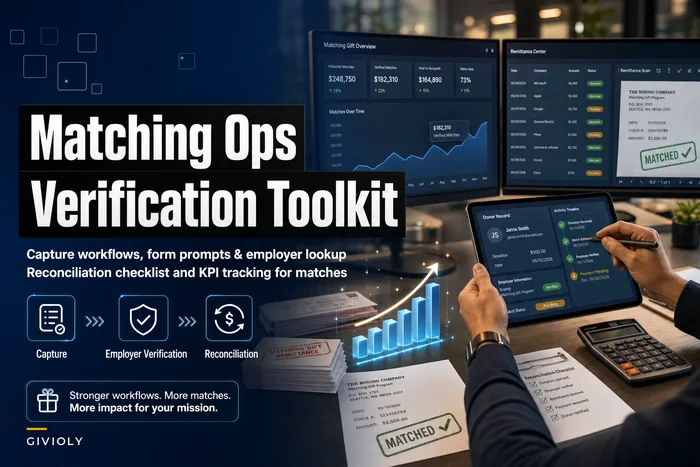
For the deeper mechanics of employer verification and where capture tends to break down, the companion piece on Matching Gift Program Ops Mistakes and How to Fix Them covers the capture-and-verification side in more detail than fits here.
When This Sequence Makes Sense — and When It Doesn't
When it makes sense: You process enough online gifts that manual follow-up isn't realistic, and a meaningful share of your donors work at match-eligible employers — tech, finance, healthcare systems, large regional employers. Even 10–15% eligibility makes the sequence worth building.
When it's overkill: If you're running under 30–40 gifts a quarter, a personal email from a real staff member will outperform an automated sequence and cost you nothing extra to manage. Don't build infrastructure for a problem you can handle in ten minutes.
Who should wait: Teams whose donation form doesn't collect employer data at all, and whose CRM has no clean place to store match status. A nudge sequence built on missing fields just produces a confident-looking flow that contacts the wrong people at the wrong time. Fix the capture and the fields first, then layer the sequence on top.
Closing Thought
Matching gifts are one of the few places in fundraising where the second check is already promised — you just have to help the donor claim it before a corporate deadline quietly closes. The 14/30/60 rhythm, a handful of disciplined CRM fields, and a weekly reconciliation pass turn that from a hopeful afterthought into a repeatable system.
For a small team, the win isn't just the recovered revenue. It's that the whole thing runs without anyone carrying a mental checklist of who to remind next. Set the fields, time the nudges to the gift date, reconcile once a week, and the matched dollars stop slipping through.
Matching gifts are one of the few places in fundraising where the second check is already promised — you just have to help the donor claim it before a corporate deadline quietly closes. The 14/30/60 rhythm, a handful of disciplined CRM fields, and a weekly reconciliation pass turn that from a hopeful afterthought into a repeatable system.
For a small team, the win isn't just the recovered revenue. It's that the whole thing runs without anyone carrying a mental checklist of who to remind next. Set the fields, time the nudges to the gift date, reconcile once a week, and the matched dollars stop slipping through.
Ready to elevate your fundraising efforts?
Join 2,000+ nonprofits using Givioly to save time, increase donations, and build lasting donor relationships.